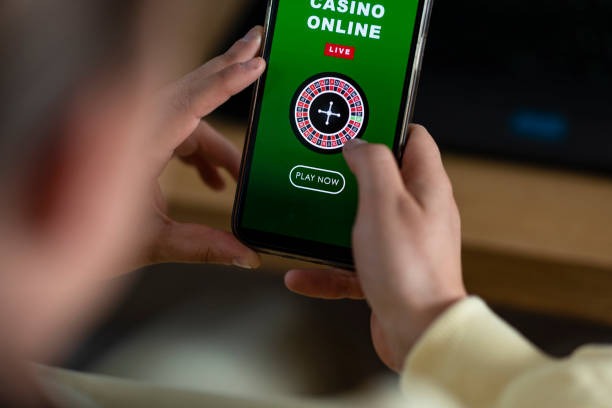
Installation and access paths
Android APK
Download and install directly on your Android device. Requires permission to install from unknown sources.
Download APKiOS Browser
Open slotkamboja in Safari or Chrome on your iPhone or iPad. No app store required.
Open in browserWeb App
Access slotkamboja from any device with a modern browser. Responsive design adapts to all screen sizes.
Visit web appInstallation steps
- Download: Tap the link above for your device type, or visit slotkamboja.bet directly in your browser.
- Install: For Android, enable unknown sources in settings, then open the APK file. For iOS and web, no installation is needed.
- Register: Create your account with email or username, set a strong password, and enable two-factor authentication.
- Verify: Upload your identity card and address proof to complete KYC verification, then deposit and start playing.

App versus browser: strengths of each
Our slotkamboja app for Android offers offline account history, push notifications for live-table availability and withdrawal status, and faster load times for repeated sessions because the app caches game assets locally. The browser version on iOS and web requires an active internet connection but needs no installation, updates automatically, and works on any device without storage constraints. Both paths sync your balance and transaction log in real time, so switching between app and browser does not affect your account state. Choose the app if you play frequently from the same Android device; choose the browser if you prefer simplicity or use multiple devices.
Device compatibility
We support Android 7.0 and above on phones and tablets, iOS 12 and above on iPhones and iPads, and all modern browsers (Chrome, Safari, Firefox, Edge) on desktop and mobile. Older devices may experience slower performance or missing features; we recommend updating your operating system if you encounter issues. Our web app uses responsive design, so it adapts to screens from 320 pixels wide (small phones) to 2560 pixels wide (large monitors).
KYC verification is required before your first deposit
After you register, navigate to account settings and upload a clear photo of your identity card (KTP, passport, or driver's license) and a recent utility bill or bank statement showing your address. Verification typically completes within 24 hours. Until your account is verified, you can browse game rules and market information but cannot deposit funds or access live tables.
Common installation issues and solutions
If you see "Unknown sources" error on Android, open Settings → Security → Unknown Sources and enable it, then retry the APK download. If the APK fails to install, check that you have at least 50 MB of free storage and that your device is not in restricted mode. On iOS, if the web app does not load, clear your browser cache (Settings → Safari → Clear History and Website Data) and try again. If you cannot log in after installation, verify that your username and password are correct, and check that two-factor authentication is not blocking your session—if you lose access to your 2FA device, contact our support team to reset it. For Surabaya, Bandung, and Jakarta users, we maintain regional server nodes to reduce latency; if you experience slow connections, try switching to a different network (WiFi to mobile data or vice versa).

Data, permissions, and account security
Our slotkamboja app requests permission to access your device's storage (to cache game assets and offline account history), camera (for optional video verification during KYC), and internet connection. We do not access your contacts, location, or other personal data. All communication between your device and our servers uses TLS 1.2 encryption, and your password is hashed before storage. We recommend enabling two-factor authentication in your account settings: after you log in with your username and password, you will receive a time-based code on your registered phone number or authenticator app, which you must enter to complete login. This prevents unauthorized access even if your password is compromised. Review your login history and active sessions in account settings; if you see unfamiliar activity, change your password immediately and contact support. For users in Jakarta, Medan, and Semarang, we offer SMS-based 2FA via local carriers (Telkomsel, Indosat, XL Axiata) as well as authenticator apps.